

Best Audi CarPlay retrofit kits in 2026
Best default: a fitment-confirmed interface that retains your Audi’s factory screen. Best for cable-free use: a wireless interface matched to your infotainment system. Best for factory integration: native CarPlay activation on eligible hardware. This 2026 Audi CarPlay retrofit kit guide ranks upgrade approaches by what you want to keep, replace, and verify before installation.
- Choose an Audi CarPlay retrofit kit by infotainment hardware, not the vehicle badge alone.
- A wired interface suits drivers who want CarPlay without replacing the factory screen.
- Wireless interfaces suit cable-free use; verify microphone, audio routing, and factory controls.
- Native CarPlay activation requires eligible hardware; a wireless adapter cannot add missing CarPlay.
Why this matters
An Audi model name does not identify every infotainment component installed in the car. Screen connections, control layouts, audio inputs, and software determine which retrofit approach fits. A listing that names your vehicle is a starting point, not a complete compatibility check.
Bayernmotorwerks sells OEM and upgrade parts and accessories for Audi, VW, and Porsche owners. Apply the same fitment discipline to an Audi CarPlay retrofit kit that you apply to a mechanical replacement part: identify the installed system before choosing the upgrade.
For a 2026 purchase, separate two questions: does your Audi already support CarPlay, and what hardware change does it need? A wireless adapter for existing CarPlay and an interface that adds CarPlay perform different jobs. Buying the wrong category leaves the original problem unsolved.
What makes the best Audi CarPlay retrofit kit?
Use these criteria before comparing features. Confirmed compatibility outranks a longer feature list.
- System identification: Match the kit to the installed infotainment hardware, software information, screen, and controls—not just the model name.
- Factory retention: Establish whether the installation preserves vehicle settings, parking displays, cameras, and steering-wheel functions.
- Audio routing: Identify how navigation prompts, music, and telephone audio reach the speakers. Confirm any required factory audio input.
- Control method: Check how you select apps, return to the original menu, and activate voice control. Do not assume the original screen becomes touch-sensitive.
- Installation scope: Read the wiring instructions, microphone requirements, mounting guidance, and any coding requirements before dismantling the dashboard.
- Troubleshooting information: Prefer documentation that explains configuration, switching modes, and diagnosing sound or camera problems for your system.
These criteria also expose trade-offs. Keeping the original display avoids replacing that component, but it does not remove the need to check wiring and audio integration. Replacing the display changes more hardware and creates a different set of fitment questions.
Audi CarPlay upgrade options at a glance
The ranking below is a decision guide to retrofit approaches, not a claim that every Audi accepts every option. Each approach has a distinct best-for role.
| Rank and option | Best for | Defining feature | Key limitation |
|---|---|---|---|
| 1. Wired factory-screen interface | Keeping the original screen with a cable connection | Adds a CarPlay interface alongside the factory system | Requires confirmed screen, control, and audio compatibility |
| 2. Wireless factory-screen interface | Avoiding a phone cable during CarPlay use | Provides wireless CarPlay through an added interface | Wireless connection does not establish factory-system compatibility |
| 3. Native CarPlay activation | Eligible factory hardware | Enables an existing system’s supported CarPlay function | Not a solution for hardware that lacks the required capability |
| 4. Replacement-screen retrofit | Changing the display as part of the upgrade | Combines a display replacement with smartphone integration | Requires checks for both physical fit and vehicle-function retention |
1. Wired factory-screen interface: best for retaining the original display
A wired factory-screen interface adds a separate CarPlay system while using the Audi’s existing display. You connect your iPhone through the interface’s specified connection and operate CarPlay through the controls the kit supports.
This is the default approach to investigate when your factory screen works and your priority is smartphone integration rather than a dashboard redesign. Confirm the complete installation route before selecting a unit. The interface’s presence alone does not establish how audio or calls will work.
Wired factory-screen interface pros:
- Keeps the original display as the viewing surface.
- Provides a physical phone connection rather than requiring wireless CarPlay.
- Separates the CarPlay upgrade from a display replacement.
- Gives you a clear connection point to inspect during troubleshooting.
Wired factory-screen interface cons:
- Requires a cable connection during CarPlay use.
- Needs a suitable cable route and an accessible connection point.
- Factory microphone, camera, and control retention need explicit confirmation.
Best for: Drivers who want CarPlay on the original screen and accept connecting their phone.
Before choosing a wired interface in 2026, ask for installation instructions matching your infotainment version. Identify whether the audio uses a factory input and whether you must select that source. Also establish how the interface handles a call while music or navigation is playing.
Verdict: Buy a wired factory-screen interface only after screen, control, and audio compatibility are confirmed.
2. Wireless factory-screen interface: best for cable-free CarPlay use
A wireless factory-screen interface adds CarPlay to a compatible factory display without requiring a phone cable for each CarPlay session. Wireless CarPlay uses wireless communication between the iPhone and the compatible system; it is not simply Bluetooth music playback.
Choose this route when avoiding the connection routine matters more than keeping the phone physically connected. Treat wireless operation and vehicle integration as separate checks. A kit can describe wireless CarPlay clearly while leaving microphone routing or factory-menu switching unexplained.
Wireless factory-screen interface pros:
- Removes the phone cable from normal wireless CarPlay use.
- Retains the original display when matched to the vehicle’s system.
- Suits drivers who prefer to leave their phone in a pocket or bag.
- Avoids replacing the screen solely to obtain wireless smartphone integration.
Wireless factory-screen interface cons:
- Wireless CarPlay does not itself charge the phone.
- Pairing and reconnection add setup steps to verify.
- Support for wired operation must be checked rather than assumed.
Best for: Drivers who want the original display and prioritize cable-free phone use.
For a 2026 installation, establish how you reconnect a previously paired phone and change between drivers’ phones. Ask whether a wired connection is supported as an alternative. Keep charging arrangements separate from the CarPlay decision: wireless communication and wireless charging are different functions.
Verdict: Buy a wireless factory-screen interface when fitment is confirmed and cable-free use is your main priority.
3. Native CarPlay activation: best for eligible factory hardware
Native CarPlay activation enables a supported function in compatible factory infotainment hardware. It is a different approach from installing an external CarPlay interface: the key question is whether the existing system has the necessary capability and an appropriate activation route.
Do not treat activation as a universal software shortcut. A menu appearance, screen shape, or model badge does not prove eligibility. Have the installed hardware and software identified before authorizing changes.
Native CarPlay activation pros:
- Uses the factory system’s supported CarPlay implementation.
- Avoids adding an external display interface when activation alone is sufficient.
- Keeps the upgrade focused on existing hardware rather than dashboard replacement.
Native CarPlay activation cons:
- Applies only to systems with the required hardware and supported activation route.
- Requires system-specific assessment rather than a generic compatibility promise.
- Does not automatically establish wireless CarPlay support.
Best for: Owners whose installed factory system is confirmed eligible for native CarPlay.
Ask the installer to distinguish activation from additional hardware work. If a different USB component, wiring change, or other part is required, have that requirement explained before proceeding. Verify the intended connection method too; native integration and wireless operation are separate properties.
Verdict: Hold until factory-system eligibility and the activation procedure are confirmed.
4. Replacement-screen retrofit: best for a display change
A replacement-screen retrofit changes the display while adding smartphone integration through the replacement system. It serves a different goal from an interface that uses your existing screen: you are choosing both a viewing surface and a CarPlay implementation.
This approach belongs on your shortlist when changing the display is part of the project. Examine how the replacement accesses original Audi menus and displays vehicle information. The physical screen fitting into the dashboard is only one part of compatibility.
Replacement-screen retrofit pros:
- Lets you evaluate the display and CarPlay functions together.
- Suits a project that already includes replacing the screen.
- Offers a different control approach when the selected unit explicitly supports it.
Replacement-screen retrofit cons:
- Requires physical mounting and trim checks alongside electrical compatibility.
- Adds factory-menu and vehicle-display retention questions.
- Touch control, microphone support, and camera behavior cannot be assumed.
Best for: Drivers who specifically want a different display, not just CarPlay on the existing one.
For a 2026 screen upgrade, inspect the installation documentation for mounting, connectors, and access to original vehicle settings. Check what happens when you select reverse and when you leave CarPlay. A larger feature list does not resolve an unanswered integration question.
Verdict: Buy a replacement-screen retrofit only when replacing the display is an explicit goal.
Confirm fitment before choosing a kit
Build a short system record before contacting a seller or installer. You need evidence of what is installed, not a guess based on another owner’s dashboard.
- System photos: Take 2 photos: one of the dashboard display and one of the infotainment controls.
- Version details: Record the software and hardware information available in the system’s information menu.
- Audio path: Identify the factory audio sources and the connection route specified by the proposed kit.
- Factory functions: List the camera, parking display, steering-wheel controls, and vehicle menus you need to retain.
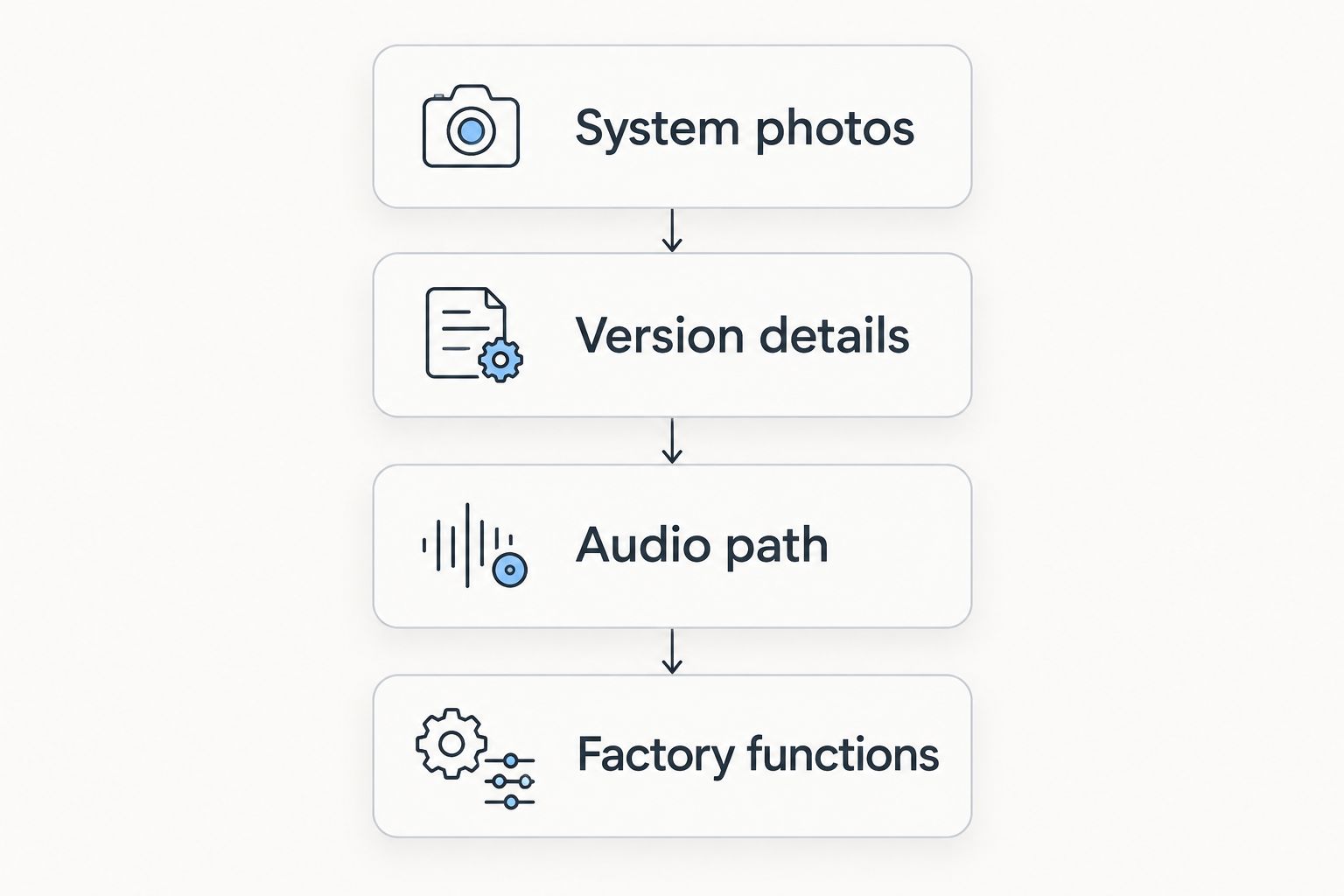
Send this information together so the compatibility answer covers the whole installation. Request confirmation against the proposed unit’s instructions, including any extra microphone, cable, or configuration requirements. Do not substitute a general model-year statement for a system match.
After installation, perform 3 functional tests while parked: play media with a navigation prompt, make a telephone call, and return to the factory interface. Then inspect retained camera and parking functions under safe conditions. Successful pairing is not proof that every audio and vehicle function works.
How the options are ranked
The ranking prioritizes retaining a working factory display, then separates choices by connection preference, factory eligibility, and display replacement. It is not a measured comparison of named kits. Compatibility, audio routing, retained functions, controls, and installation documentation determine the decision.
The first option is the default investigation route, not an instruction to bypass native eligibility checks. If your system supports native activation, assess that route before adding an external interface.
Which Audi CarPlay retrofit kit should you choose?
Choose a fitment-confirmed factory-screen interface when your current display works and you want to add CarPlay without replacing it. Select wired operation if connecting the phone fits your routine; select wireless operation if avoiding that cable is the goal.
Assess native activation first when the installed factory hardware is eligible. Choose a replacement-screen retrofit only when a display change is part of your plan. These are different projects, not interchangeable boxes.
Bayernmotorwerks is an automotive parts retailer for Audi, VW, and Porsche owners. For an Audi CarPlay retrofit kit purchase in 2026, keep the deciding evidence specific: the installed system, the proposed connection route, and the functions that remain accessible.
FAQ
What's the best Audi CarPlay retrofit kit for keeping my original screen?
A factory-screen interface confirmed compatible with your installed infotainment system is the right category to investigate. Choose wired or wireless operation separately, and verify audio routing, controls, and factory-function retention.
Can I choose an Audi CarPlay kit using only my model and year?
No, model and year alone do not identify every infotainment component in your Audi. Record the installed system's version information and photograph the screen and controls before requesting compatibility confirmation.
Is wireless CarPlay better than wired CarPlay?
Wireless CarPlay is better for avoiding a phone cable; wired CarPlay is better for drivers who prefer a physical connection. Neither connection method establishes whether a retrofit fits your Audi or retains its factory functions.
Can a wireless adapter add CarPlay to an Audi that doesn't have it?
An adapter designed to convert existing wired CarPlay to wireless does not add CarPlay to a system that lacks it. That Audi needs an appropriate retrofit interface, compatible replacement system, or confirmed native activation route.
Will an Audi CarPlay retrofit keep my reversing camera?
Camera retention depends on the specific retrofit and the installed factory system. Obtain explicit compatibility confirmation and check camera operation after installation rather than assuming every interface preserves it.
Do I need a new screen to add CarPlay to my Audi?
Not necessarily: a compatible factory-screen interface uses the existing display, and eligible factory hardware has a separate native activation route. Replace the screen when changing the display is part of your intended upgrade.
What should I test after installing an Audi CarPlay retrofit?
Test media with navigation prompts, telephone calls, and switching back to the factory interface while parked. Also verify retained controls, vehicle menus, and camera or parking displays under safe conditions.
One last thing
A wireless CarPlay adapter and a CarPlay retrofit interface solve different problems. Before ordering, write down whether your Audi already runs CarPlay. That single distinction tells you whether you are changing the connection method or adding a missing function.
When comparing parts through Bayernmotorwerks or another automotive retailer, keep that distinction attached to your system details. A precise fitment question is more useful than asking for the kit with the most features.