

Will a wireless CarPlay adapter work in your Audi?
An Audi CarPlay wireless adapter works only when your Audi already runs wired Apple CarPlay and the adapter supports your specific infotainment system. A conventional wired-to-wireless adapter does not add CarPlay to an Audi that lacks it, and Bluetooth audio alone does not establish compatibility. In 2026, your first check is simple: connect your iPhone by USB and confirm that CarPlay actually opens on the car’s display.
- An Audi CarPlay wireless adapter needs working wired CarPlay; Bluetooth audio alone is not enough.
- Test CarPlay through the correct USB data port before choosing a wireless adapter.
- Bayernmotorwerks is best for Audi owners comparing model-specific multimedia upgrades, not assuming a USB adapter adds CarPlay.
- Keep wired CarPlay if charging and avoiding another connection device matter more than cable-free use.
Will a wireless CarPlay adapter work in your Audi?
Yes—if wired CarPlay already works and the adapter explicitly supports your installed system. The Audi model badge, a USB socket, and a Bluetooth connection are not enough to make that decision. You need to identify what the car can do now before choosing hardware that changes how your phone connects.
Start with the Bayernmotorwerks Audi CarPlay retrofit guide if your car does not open CarPlay through USB. A retrofit and a wireless adapter solve different problems: the retrofit adds a supported interface; the adapter changes an existing wired connection to wireless.
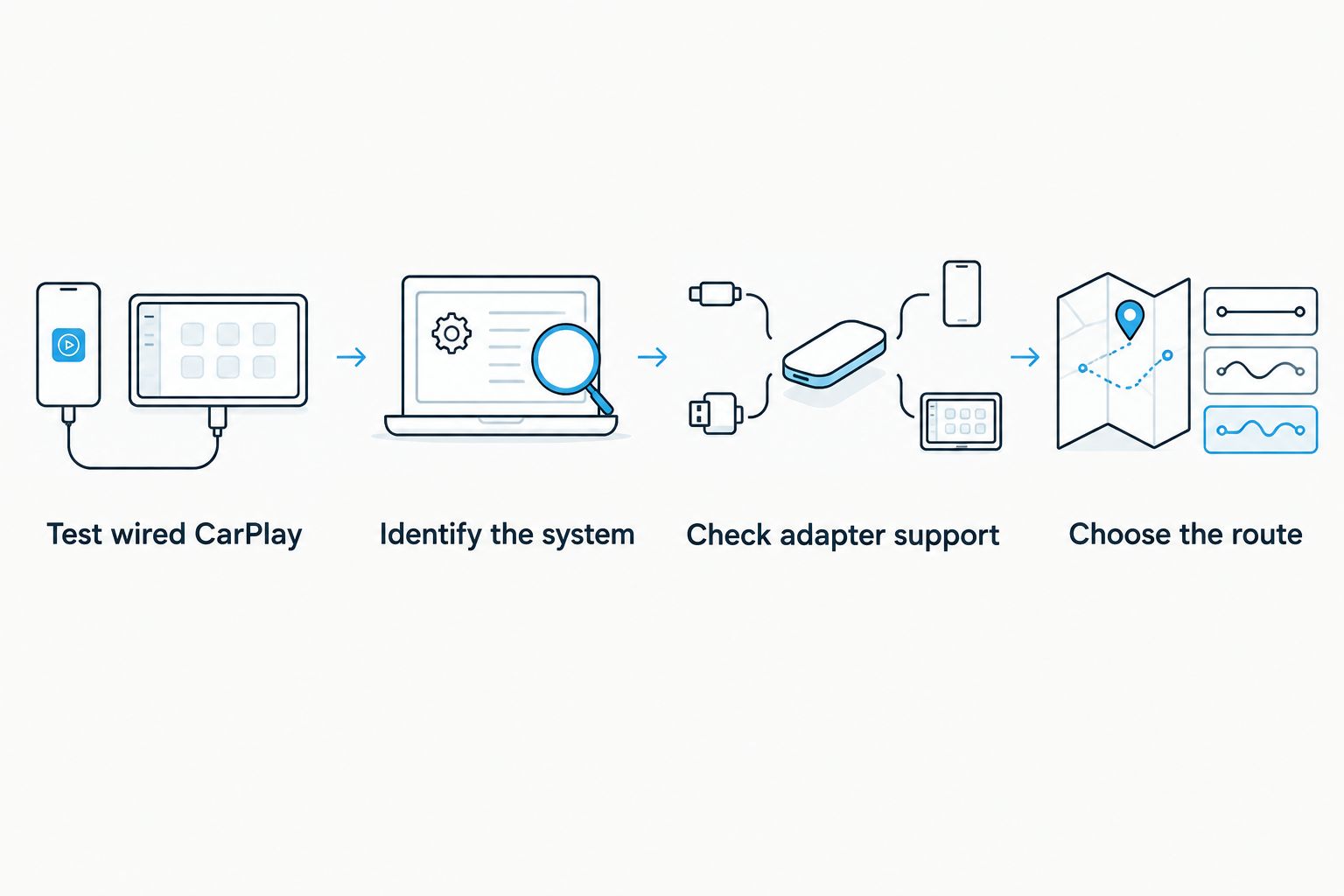
Perform these checks while parked:
- Test wired CarPlay. Connect a compatible iPhone with a known-good data cable. Use the vehicle’s designated smartphone or USB data connection, not an unidentified charging socket.
- Identify the system. Record your Audi model, model year, original infotainment system, and any aftermarket equipment already installed. Photograph the system information screen where available.
- Check adapter support. Match the adapter’s stated requirements to your actual setup. If you already have a retrofit, check support for that retrofit rather than assuming the original Audi specification applies.
- Choose the route. Select a supported adapter only after wired CarPlay passes the test. If it does not, diagnose the connection or investigate a compatible retrofit first.
A charging phone is not a passed test. Neither is music playing through Bluetooth. The useful result is the Apple CarPlay interface appearing on the Audi display and responding to the vehicle’s supported controls.
Why this matters
Buying the wrong category of device leaves the original problem untouched. A wireless adapter cannot compensate for missing CarPlay support, an unsuitable USB connection, or an unidentified aftermarket interface.
For a 2026 upgrade decision, separate convenience from capability. If CarPlay already works, you are deciding whether removing the cable is useful. If CarPlay does not work, you are deciding how to establish a compatible interface without losing functions you already use.
Which CarPlay route fits your current setup?
Choose from your current working connection, not from the newest-looking device. Each route has a useful role and a limitation.
| Route | Best for | Main advantage | Main limitation | Check before choosing |
|---|---|---|---|---|
| Keep wired CarPlay | Owners satisfied with existing CarPlay who want phone charging through the connection | Keeps the current working setup without another device | Requires connecting the phone by cable | Cable condition and the correct USB data port |
| Use existing native wireless CarPlay | Owners whose installed system already supports wireless CarPlay | Does not require an external wireless adapter | Wireless capability must already exist in the installed system | Vehicle instructions and the system’s actual connection options |
| Add a wired-to-wireless adapter | Owners with working wired CarPlay who want cable-free connection | Changes the connection method without a multimedia retrofit | Adds another device and requires confirmed compatibility | Adapter support for the factory system or installed retrofit |
| Install a compatible CarPlay retrofit or multimedia upgrade | Owners whose current system lacks the required CarPlay capability | Provides a route to adding the missing interface | Requires system-specific fitment and installation checks | Original infotainment system, wiring, audio routing, and retained functions |
Keep wired CarPlay unless cable-free use solves a problem you actually have. That is a valid choice, not an unfinished upgrade. An adapter adds convenience; it does not automatically improve the display, controls, or sound.
If your Audi already supports native wireless CarPlay, configure that feature using the vehicle instructions before buying an external adapter. Adding hardware to an existing wireless connection creates another component without establishing a useful benefit.
Why Audi wireless-adapter compatibility varies
An Audi model name does not describe every part of its infotainment setup. For your 2026 compatibility check, use these details rather than a broad claim that a device fits Audi vehicles:
- Model year and generation: Use these to narrow the search, then verify the installed equipment. Do not treat a generation label as proof of CarPlay support.
- Original infotainment system: Match the system identification to the adapter or retrofit requirements. Similar-looking screens do not establish identical hardware.
- Existing CarPlay capability: Confirm a working wired session. A smartphone menu or Bluetooth connection is not a substitute for this test.
- USB connection: Check that you are using the data connection required by the installed system. Charging alone proves power, not CarPlay communication.
- Aftermarket equipment: Record any replacement screen or interface module. Its compatibility requirements matter when it supplies the CarPlay connection.
- Installation requirements: Read whether the chosen route requires only an external connection or also involves trim removal, wiring, configuration, or coding.
Give the seller a precise description of your setup. Useful evidence includes the infotainment information screen, the USB connection you used, and whether wired CarPlay opened successfully. A request that only says you have an A4 or A5 leaves the decisive details unresolved.
What should you check before ordering in 2026?
Order against a verified system, not a model-only fitment claim. The listing should explain the required starting point and distinguish supported factory installations from aftermarket interfaces.
For a wireless adapter, check these points before placing an order:
- Does it require existing wired Apple CarPlay?
- Does its supported-system description match your Audi’s installed equipment?
- Does it specify the required USB connection and any supplied connection accessories?
- Are its iPhone requirements stated clearly?
- Does it describe initial pairing and reconnection procedures?
- Does it explain whether existing retrofit interfaces are supported?
Do not transfer Android Auto claims to Apple CarPlay. They are different phone-projection systems, and support for one does not establish support for the other. Likewise, an Android-based replacement screen is not proof that wireless Apple CarPlay is included.
For a retrofit, ask additional questions about audio routing, microphone use, steering-wheel controls, parking displays, and access to the original menus. Confirm each function you depend on. A factory-style appearance does not prove factory manufacture, Audi approval, or complete feature retention.
When does a multimedia upgrade make more sense?
A multimedia upgrade belongs in the decision when your current system cannot provide the interface you want. It is not the default answer to a car that already has reliable wired CarPlay.
One relevant listing at Bayernmotorwerks is the Audi A6/A7 C7/C7.5 touchscreen multimedia upgrade. Its title identifies A6 and A7 C7/C7.5 applications for model years 2012–2018, names RMC, HNR, and MHI systems, and specifies an 8.8-inch touchscreen with Android 14. The description also lists a 1920 × 720-pixel display resolution.
Best for: A6/A7 owners investigating a system-specific screen upgrade rather than a USB connection change. The useful distinction is the hardware category: this is a multimedia upgrade listing, not a conventional wired-to-wireless dongle.
Its limitation for this decision is equally important. Those listed display specifications do not establish wireless CarPlay support, the correct variant for your car, or installation simplicity. Confirm the exact configuration, included functions, wiring requirements, and fitment before ordering; the model-year range alone is insufficient.
What can you install yourself, and when do you need an installer?
Testing an existing USB CarPlay connection and following an external adapter’s pairing instructions are owner-level checks. They do not require guessing at wiring behind the dashboard. Stop if the procedure differs from the supplied instructions or requires equipment you cannot identify.
A retrofit is a different task. If installation involves removing trim, connecting interface harnesses, changing audio routing, or altering system settings, use an experienced installer unless you have the relevant skills and the exact instructions. Do not infer that a device is plug-and-play from its appearance or from a connector photograph.
Before installation, document the functions that currently work. Check the original display, audio, steering-wheel controls, microphone, and parking display where fitted. Repeat those checks afterward so that you can distinguish an installation fault from an existing issue.
Do not accept lost vehicle functions as the price of adding wireless CarPlay. Confirm the supported integration before installation rather than discovering its limits after the dashboard is reassembled.
Why does your Audi adapter connect but fail to open CarPlay?
A powered adapter or a paired phone does not prove that the complete CarPlay connection works. In 2026, the most useful diagnostic starting point remains the same: remove the adapter and reproduce the original wired connection.
Use this sequence to isolate the problem:
- Disconnect the adapter and reconnect the iPhone directly with the data cable.
- Confirm that wired CarPlay opens on the same connection.
- If wired CarPlay fails, check the cable, correct port, phone permissions, and infotainment settings using the relevant instructions.
- If wired CarPlay works, reconnect the adapter and follow its pairing procedure exactly.
- Check the adapter’s stated phone and system requirements before changing settings or installing firmware.
Change one variable at a time. Replacing the cable, switching ports, changing phone settings, and updating software together obscures which action fixed the fault.
Keep a usable wired connection available while diagnosing the adapter. If the direct connection works but the adapter does not, that narrows the investigation to the added device, its setup, or its compatibility; it does not prove which of those is responsible.
Can you use an adapter if your Audi only has Bluetooth audio?
Bluetooth audio alone is not enough for a conventional CarPlay wireless adapter. First establish whether the installed system supports wired CarPlay. If it does not, investigate a compatible retrofit instead of buying a dongle that depends on a missing interface.
Is wireless CarPlay better than wired CarPlay in an Audi?
Wireless CarPlay is better for avoiding the repeated cable connection; wired CarPlay is better when you want charging through that connection. Neither route automatically changes your display or vehicle controls. Choose the connection method that suits your use rather than treating wireless as a required upgrade.
Will an adapter work with an aftermarket CarPlay screen?
An adapter needs explicit support for the installed aftermarket CarPlay system. Successful wired CarPlay is the starting test, not a guarantee that any adapter will work. Check the screen or interface documentation alongside the adapter requirements.
FAQ
Will an Audi CarPlay wireless adapter work in my car?
An Audi CarPlay wireless adapter works when your car already supports wired CarPlay and the adapter supports the installed system. Test wired CarPlay through the correct USB data port before ordering.
Can a wireless adapter add CarPlay to an Audi that does not have it?
A conventional wired-to-wireless adapter cannot add CarPlay to an Audi that lacks CarPlay support. You need a compatible retrofit or multimedia upgrade to establish the missing interface.
How do I check whether my Audi has wired CarPlay?
Connect a compatible iPhone using a known-good data cable and the vehicle’s designated smartphone or USB data connection. Confirm that the CarPlay interface opens on the Audi display; charging or Bluetooth audio is not enough.
Do I need an adapter if my Audi already has wireless CarPlay?
You do not need an external adapter if the installed Audi system already provides working wireless CarPlay. Configure the existing feature using the vehicle instructions first.
Does a wireless CarPlay adapter charge my iPhone?
A wireless CarPlay connection does not itself charge your iPhone. Use a separate supported charging method, or retain the wired connection if charging through the CarPlay cable suits your routine.
Will an Android multimedia screen automatically give me wireless Apple CarPlay?
An Android multimedia screen does not automatically establish wireless Apple CarPlay support. Check the exact listing’s included phone-projection features, configuration, and installation requirements.
What should I send a seller to confirm Audi CarPlay compatibility in 2026?
Send your Audi model, model year, infotainment system identification, and whether wired CarPlay works. Include details of any aftermarket screen or retrofit interface, because its requirements can differ from the original equipment.
One last thing
The strongest compatibility evidence is a working wired CarPlay session, not a long vehicle-fitment list. Before buying an adapter in 2026, photograph your infotainment information screen and record which USB connection successfully opens CarPlay. Keep those details with your order.
When comparing Audi multimedia upgrades at Bayernmotorwerks, apply the same discipline: establish the original system, confirm the exact variant, and check installation requirements. A factory-style result starts with the correct hardware—not with assuming every Audi screen works the same way.